

Learning Module Design Process
Exploring how thoughtful LMS structure, clear navigation, and intentional page design support effective learning experiences.
Overview | Learning Modules Design
This section walks through my process for designing learning modules within a Learning Management System (LMS). When building a course, I first consider which LMS platform best supports the learning experience. Platforms such as Canvas, Moodle, or Blackboard each offer different strengths in navigation, accessibility, and interaction. In my work, I often use Canvas because it allows for clear module organization, structured learning pathways, and flexible integration of multimedia resources.
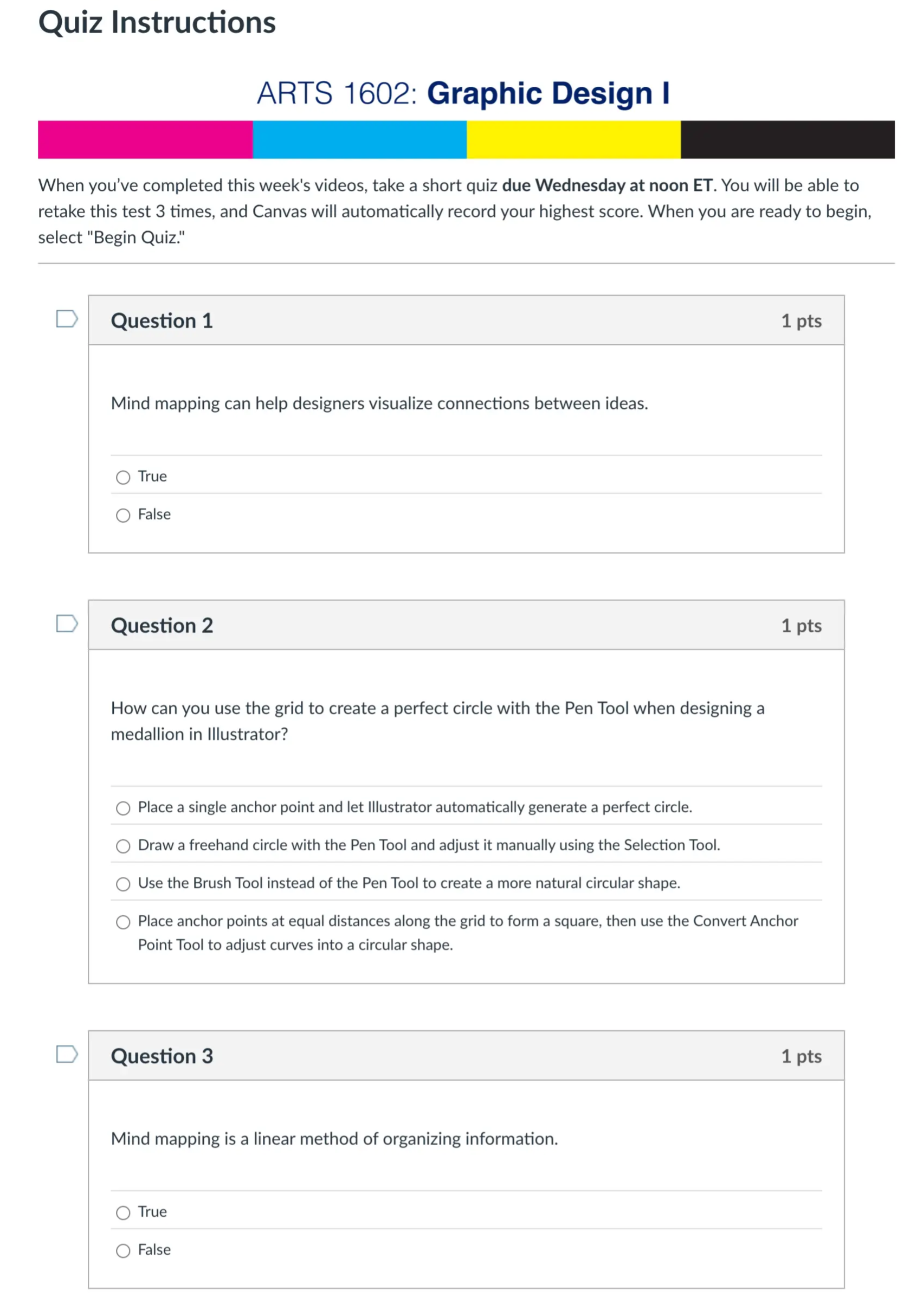
Beyond selecting the LMS, I also focus on the visual and instructional design of the course environment. This includes creating consistent banners, page layouts, and navigation structures that help students quickly understand where to find materials and what they are expected to do each week. Each module is intentionally structured so that students move through a clear learning sequence: understanding objectives, engaging with resources, completing assignments, and participating in discussions

Key Components of a Canvas Page
Introduction Module
Information
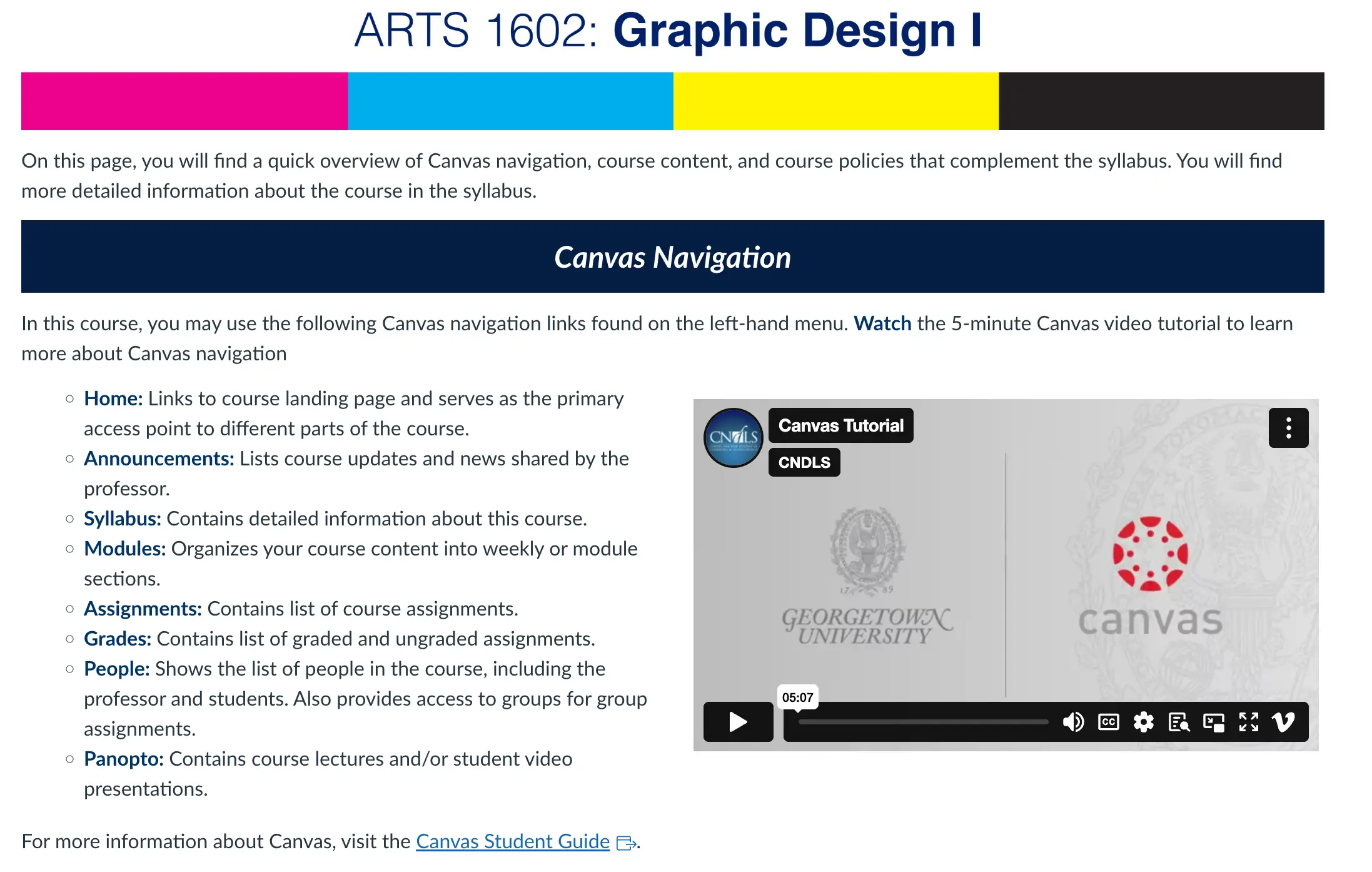
The introduction module sets the foundation for the course and helps students understand how to navigate the learning environment. It provides essential information about course structure, expectations, and the resources students will use throughout the semester
Typical elements include:
Instructor bio
Course learning outcomes
Course flow and navigation overview
Technology requirements
Netiquette guidelines
Participation expectations
Policy and Expectations
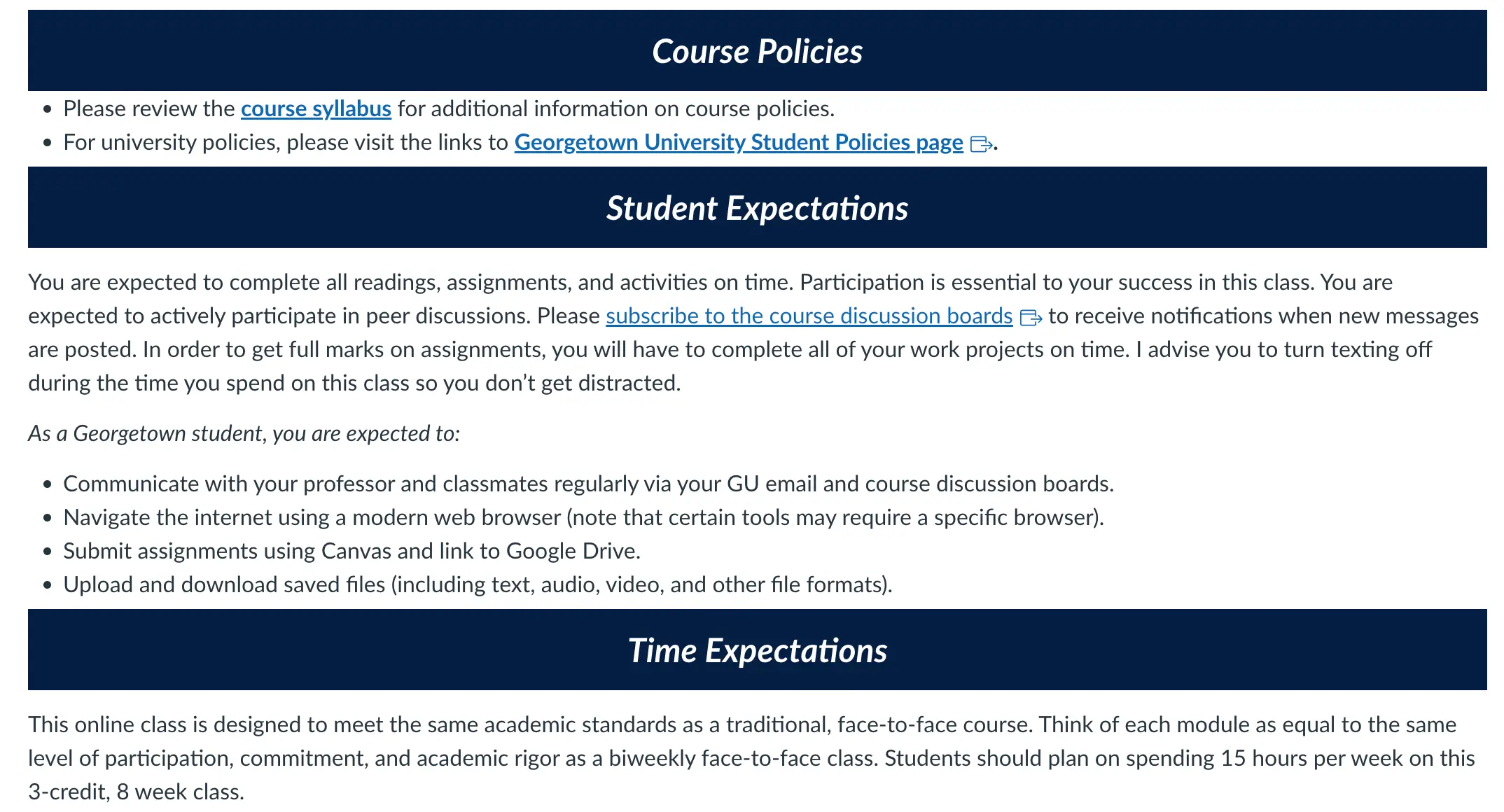
This module also introduces important course policies to ensure a respectful and transparent learning environment. Establishing these expectations early helps students understand how the course operates and how they should engage with the learning process.
Key policies may include:
AI usage policy
Academic integrity guidelines
Communication expectations
Participation guidelines
Late submission policies
Module Structure and Design on Canvas LMS
1. Module Overview Page
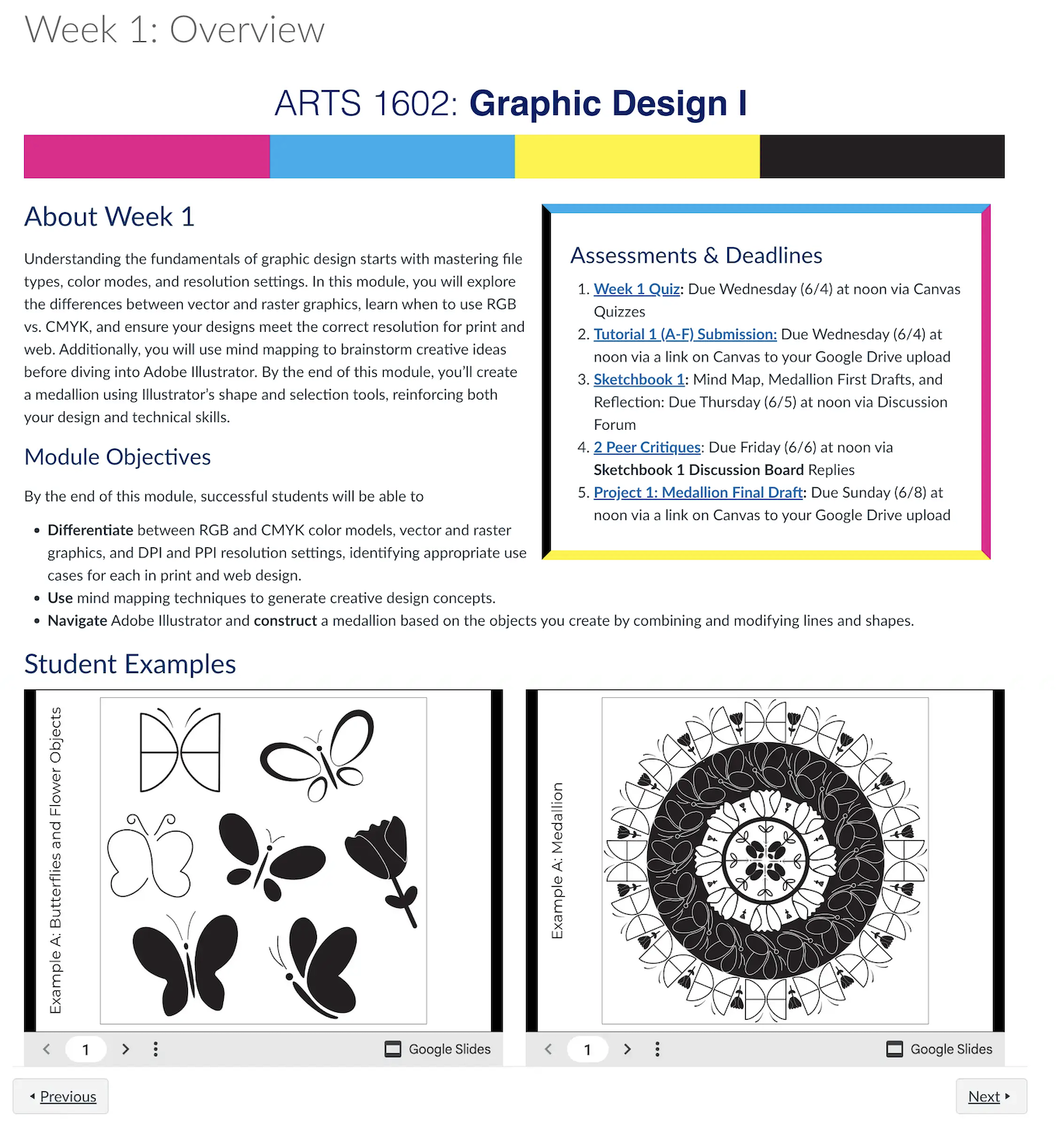
The module overview page serves as the entry point for each learning module. This page provides students with a clear understanding of what they will learn and what is expected during the week.
Typical elements include:
• Module learning outcomes
• Key topics covered in the module
• Assignments and due dates
• A short description of learning activities
This page functions as a roadmap that helps students stay organized and track their progress throughout the course.
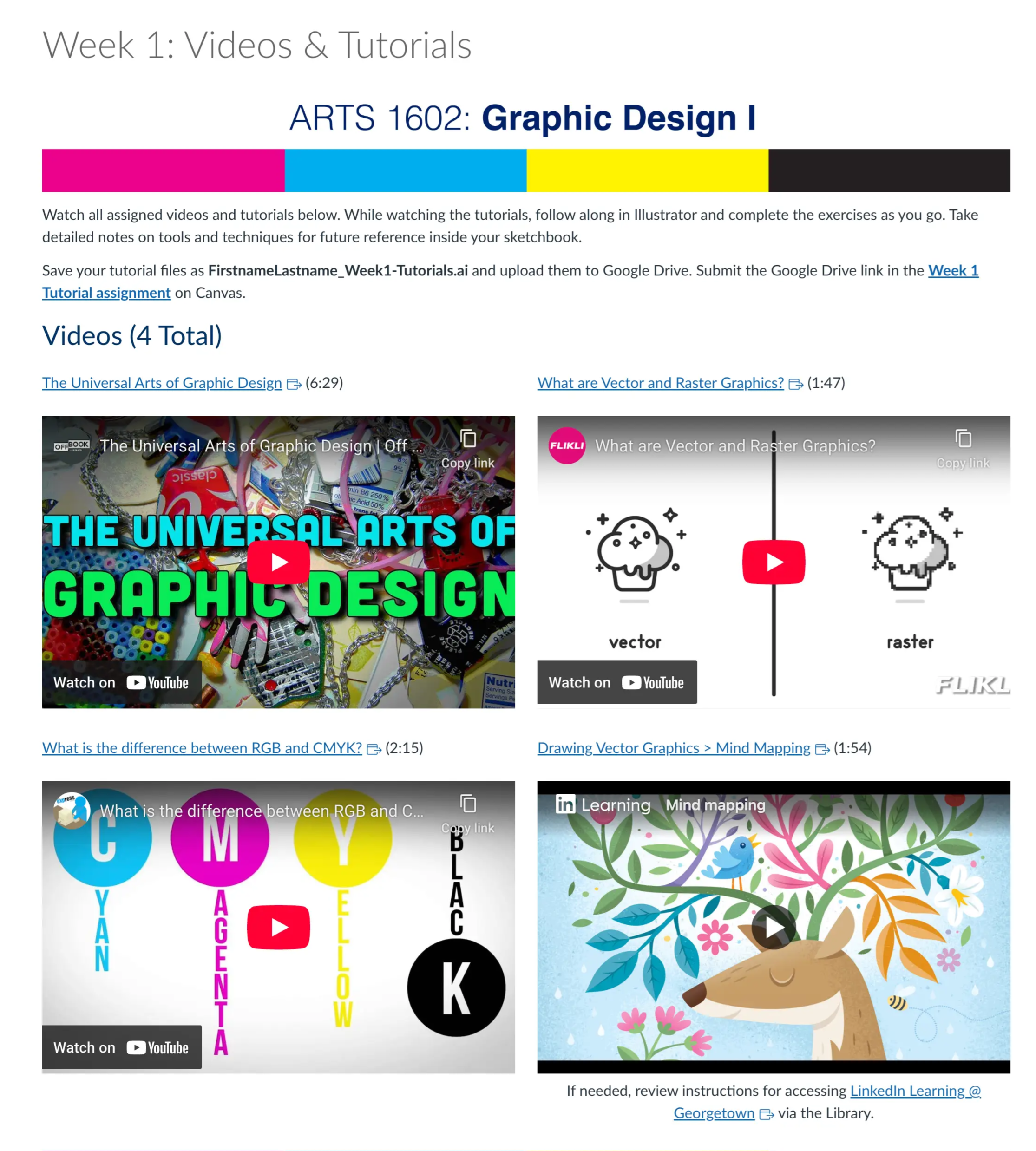
2. Information and Resource Page
The information page is designed as a resource hub where students engage with course content before completing assignments.
This page may include:
• Required readings
• Instructional videos or recorded lectures
• Slides or visual learning materials
• External resources and links
By grouping learning materials together, students can focus on building understanding before moving into application-based activities.
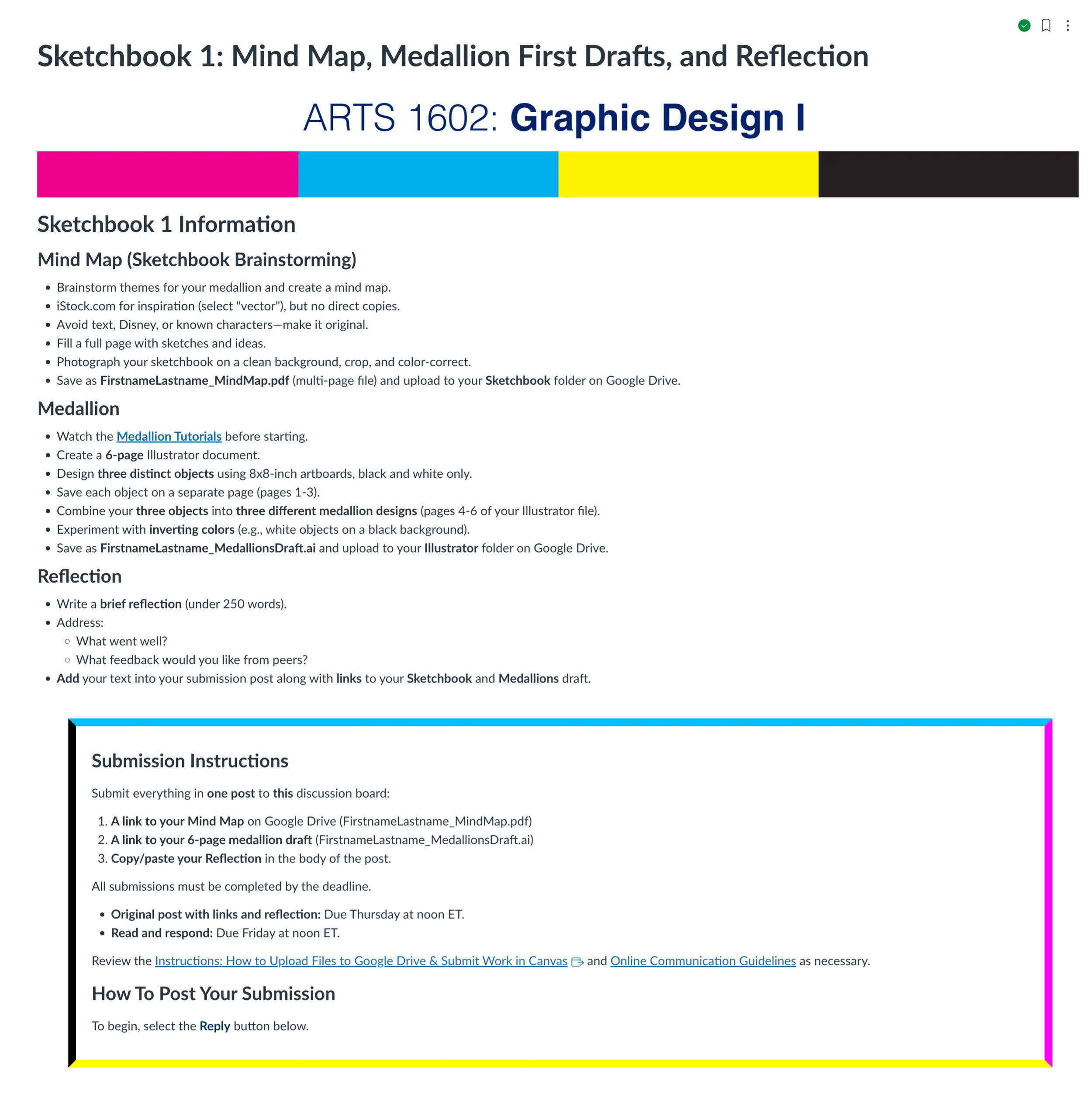
3. Assignment Page
The assignment page provides detailed instructions for graded work within the module. Clear instructions are essential to ensure students understand expectations and grading criteria.
Typical components include:
• Assignment instructions
• Submission guidelines
• Rubrics or evaluation criteria
• Due dates and deadlines
Well-designed assignment pages reduce confusion and help students focus on demonstrating their learning.
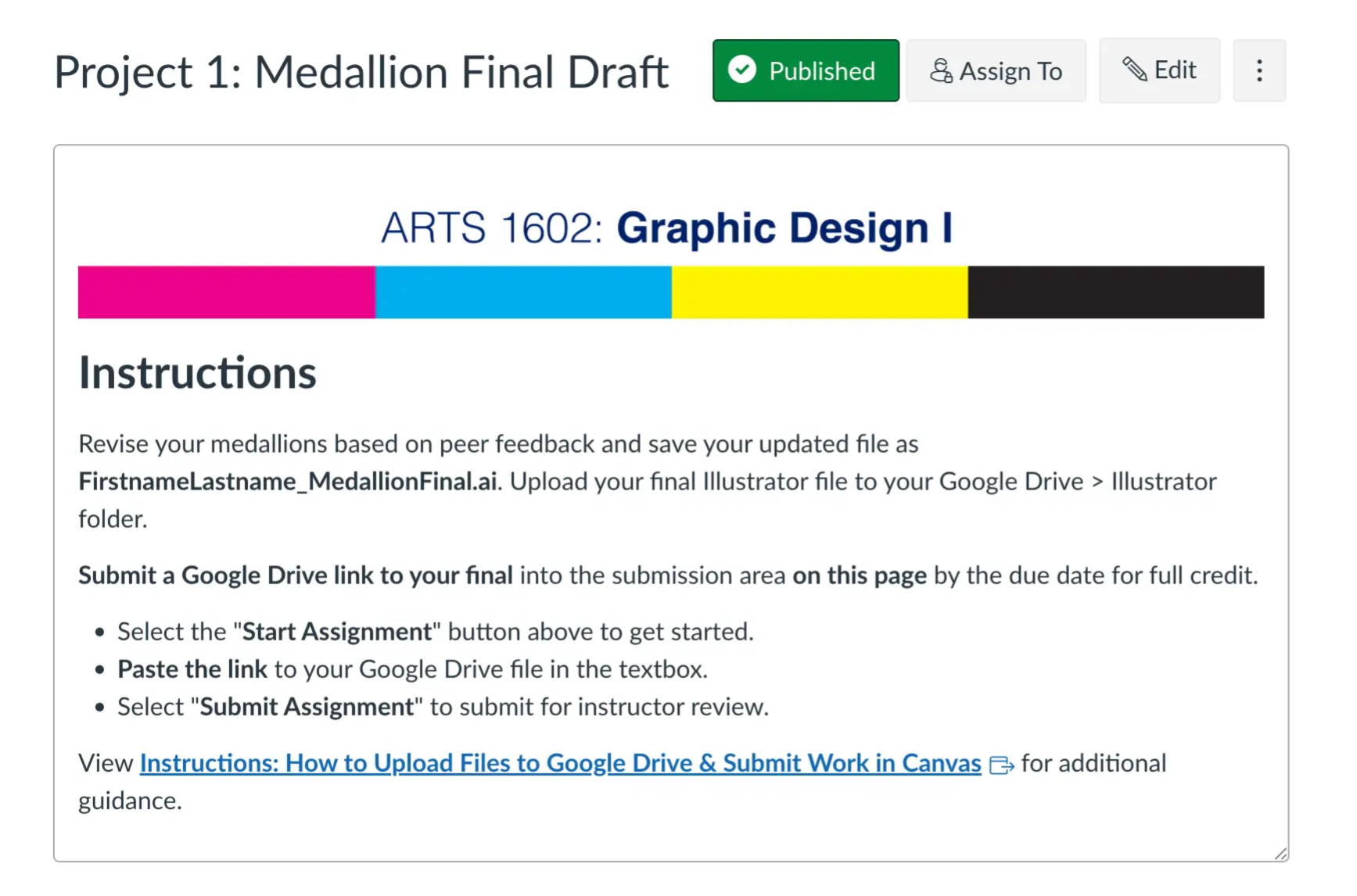
4. Discussion Page
Discussion pages encourage student interaction and collaborative learning. These spaces allow students to engage with course ideas, respond to peers, and reflect on the material.
Discussions may include:
• Reflection prompts
• Peer responses
• Case study analysis
• Application of course concepts
When designed effectively, discussions create opportunities for students to build community and deepen their understanding through dialogue.
5. Quiz Page
Quiz pages provide formative assessments that help students check their understanding of key concepts covered in the module. These assessments allow instructors to evaluate learning progress while giving students immediate feedback on their comprehension.
Quizzes may include:
• Multiple choice questions
• Short answer questions
• Concept checks
• Scenario-based questions
When designed effectively, quizzes reinforce learning, identify areas where students may need additional support, and encourage students to actively review and apply course concepts.